How to Sell Used Tech Safely Online: A Step-by-Step Guide
Got an old phone or laptop sitting in a drawer? You are not alone. Many people want to sell their used tech but worry about scams, data theft, or getting a fair price.
Selling gadgets online can feel risky. You might wonder if buyers are trustworthy. You might also worry about your personal data staying on the device after you hit send.
The good news? Selling your tech safely is totally possible. You just need the right steps and a little caution.
This guide will walk you through everything you need to know. We will cover how to sanitize your device before listing it. You will learn which payment methods keep your money safe.
We will also show you how to spot red flags from buyers. Plus, we will share tips on writing honest descriptions that build trust.
By the end, you will know exactly how to sell used tech online without stress. You will protect your data, get paid securely, and find the right buyer fast.
Let’s turn that old gadget into cash, safely.
In a Nutshell
Selling your old tech does not have to feel scary. Here is a quick recap of what really matters.
-
Wipe your data first. Always sanitize your device before listing it. This protects your personal information from strangers.
-
Get an instant quote. Many platforms offer a fast, upfront price. This helps you decide quickly without wasting time.
-
Choose safe payment methods. Stick to trusted options like PayPal or Zelle. Avoid buyers who insist on unusual payment methods.
-
Meet smart or ship smart. If meeting locally, pick a public place. If shipping, always use a tracked service.
-
Be honest about condition. Describe scratches, battery health, and any issues clearly. Honesty builds trust and avoids disputes later.
-
Research your buyer. Check reviews or platform reputation before you commit. A little research prevents big headaches.
Follow these simple steps, and you will sell your tech with confidence. Safety and honesty go hand in hand here.
Why Safety Matters When Selling Used Tech Online
Selling used tech online exposes you to real risks. Scammers target sellers through fake payments, stolen identities, and data breaches. Your personal information lives on old devices. Buyers could access your photos, emails, and financial details if you skip data removal.
Safety protects your money and privacy. When you use secure payment methods, your funds stay protected. Tracked shipping gives you proof of delivery. Public meetings keep you physically safe from strangers. These steps sound simple, but they prevent major problems.
Data theft is the biggest concern. Your old phone or laptop stores passwords, banking info, and personal files. A buyer with bad intentions could recover this data and commit fraud. Sanitizing your device completely removes these risks before it leaves your hands.
Financial loss happens fast without precautions. Scammers send fake payment confirmations and vanish. Others claim items never arrived and demand refunds. You lose both your gadget and your money. Secure payment options reverse fraudulent transactions and protect you.
Meeting unsafe buyers creates personal danger. Strangers know you have cash or expensive items. Meeting in isolated places puts you at risk. Public locations like coffee shops or police stations keep you safe.
Honest descriptions prevent disputes after the sale. When you clearly explain device condition, buyers know what to expect. They cannot claim the battery is dead if you said it drains quickly. This honesty builds trust and reduces refund requests.
Taking time for safety steps saves you headaches later. You protect your identity, keep your money secure, and avoid dangerous situations. The small effort upfront gives you peace of mind throughout the entire selling process.
How to Sanitize and Prepare Your Device Before Selling
Before you list your device, prepare it properly. This step protects your privacy and makes your gadget more appealing to buyers.
Start by backing up any files you want to keep. Connect your device to a computer or cloud storage. Transfer photos, documents, and important data to a safe location. This takes just minutes and prevents data loss.
Next, remove your accounts completely. Sign out of email, social media, and app accounts. Go into settings and remove your profile from the device. This disconnects the gadget from your personal identity.
Then perform a factory reset. This erases all remaining data on the device. For phones, go to Settings > General > Reset. For laptops, use the built-in reset tool in your operating system. The process varies by device, so check your manual if needed.
After the reset, verify the device works properly. Test the screen, buttons, camera, and speakers. Check that the battery charges and holds power. Try connecting to WiFi to confirm internet functions work. Document any issues you find.
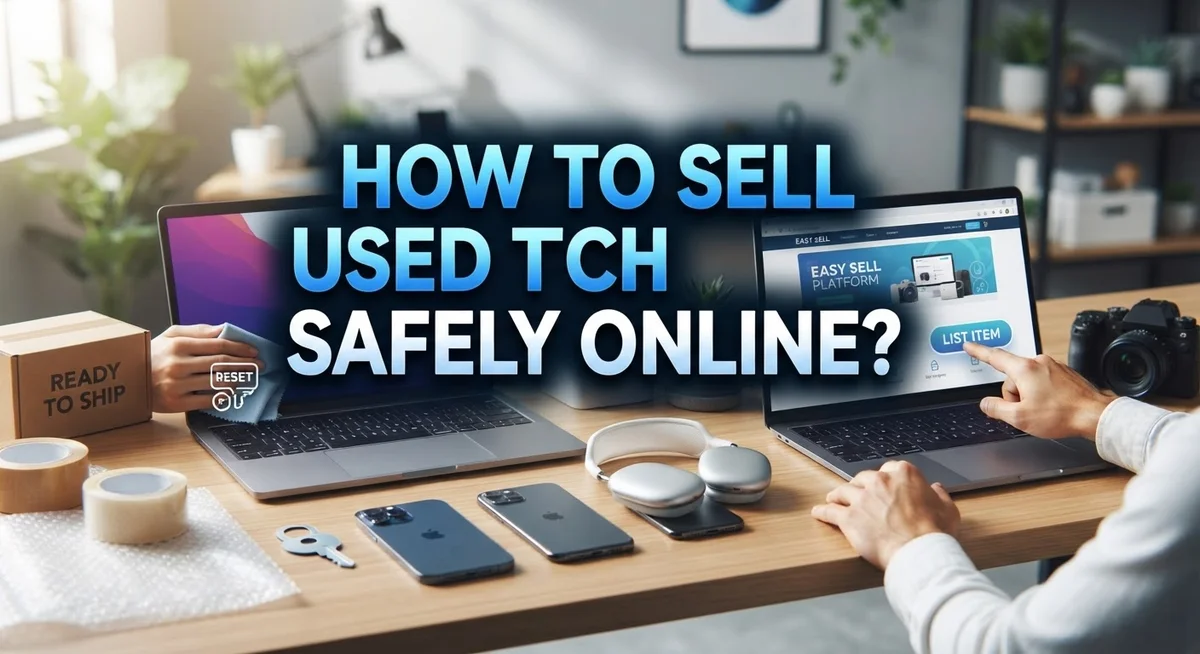
Clean your device thoroughly. Wipe the screen and body with a soft, slightly damp cloth. Remove dust from ports and crevices. A clean gadget looks better and sells faster.
Take clear photos of the device from multiple angles. Show the screen, back, sides, and any wear spots. Good lighting helps buyers see exactly what they are getting.
Finally, gather original accessories if you still have them. Include the charger, cables, or original box. These items increase buyer interest and justify a better price.
Taking these steps matters. Buyers trust sellers who prepare devices properly. You reduce disputes and create smooth transactions. Your old tech becomes someone else’s great deal.
Choosing Where to Sell: Platforms, Trade-In Programs, and Local Classifieds
Your first choice is deciding where to sell. You have three main options: online platforms, trade in programs, and local classifieds. Each one offers different benefits.
Online platforms let you reach buyers across your region or country. These sites handle payments securely and often provide shipping labels. You upload photos and descriptions, then wait for buyers to contact you. The process takes longer but reaches more people. Many platforms offer free shipping to buyers, which makes your listing more attractive.
Trade in programs work differently. You get an instant upfront quote without waiting for a buyer. These programs buy devices directly from you. You ship the item to them, and they send payment quickly. This option saves time if you want fast cash. The downside is that quotes are usually lower than private sales.
Local classifieds connect you with nearby buyers. You control the price and can negotiate directly. Meeting in person lets you show the device working. However, you handle all safety responsibilities yourself. You arrange payment and shipping without platform protection.
Research each option carefully. Check platform reviews and see what fees they charge. Compare trade in quotes from multiple programs. For local sales, read buyer feedback if available.
Your device condition affects which option works best. Newer, working devices sell faster on platforms. Older or damaged items may get better prices through trade in programs. Rare or collectible tech does well on classifieds where enthusiasts shop.
Start by getting quotes from at least two sources. This helps you understand your device’s real value. Then pick the platform that matches your priorities. Whether you want speed, maximum profit, or convenience, one option will fit your needs.
Step-by-Step Process for a Safe Online Sale
Selling used tech safely involves five main steps. First, gather all the information about your device. Write down the exact model, storage capacity, color, and any physical damage. Be specific about what works and what doesn’t. Battery health, screen condition, and functionality matter to buyers.
Next, choose your selling method. You can use online marketplaces, trade in programs, or local classifieds. Each option has different safety levels. Online platforms offer buyer protection and dispute resolution. Trade in programs provide instant quotes and prepaid shipping. Local sales let you meet buyers face to face but require more caution.
Before listing, sanitize your device completely. Back up files you want to keep first. Then remove all your accounts and perform a factory reset. Verify everything works after the reset. Clean the device and take clear photos from multiple angles. Include original accessories if you have them.
When you find a buyer, arrange secure payment. Use trusted methods like PayPal or Zelle. Never accept wire transfers or cryptocurrency from unknown buyers. These payment types offer no protection if something goes wrong.
For delivery, choose tracked shipping or meet in a public location. Public places like coffee shops or police station parking lots keep you safe. Never invite strangers to your home. If shipping, take photos of the device before packaging it. Keep all receipts and tracking numbers until the buyer confirms receipt.
Complete the transaction only after payment clears. Wait for confirmation before handing over the device. Follow these steps and your sale will go smoothly and safely.
Secure Payment and Shipping Methods Explained
Secure payment methods protect your money during any online sale. PayPal and Zelle are two popular options that offer buyer protection and transaction records. These services hold funds temporarily, which means you receive payment confirmation before releasing your device.
Always use payment methods with built-in safeguards. Avoid wire transfers or cash-only arrangements. Wire transfers are nearly impossible to reverse if something goes wrong. Cash payments leave no proof of the transaction.
Request payment through an established platform rather than direct bank transfers. This creates a paper trail that protects both you and the buyer. The payment method you choose should clearly document the sale amount and item details.
For shipping, select a carrier that provides tracking numbers. USPS, UPS, and FedEx all offer tracking services on packages. Tracking lets you confirm when the buyer receives your device.
Insurance is your safety net. Add shipping insurance to protect against loss or damage during transit. The cost is minimal compared to your device value. Keep the insurance receipt and tracking information until the transaction completes.
Never ship before payment clears in your account. Wait at least 3 to 5 business days for bank transfers to fully process. Some payment methods clear instantly, but verify this with your chosen service.
If you meet a buyer in person, bring a payment app on your phone. Square Cash and similar apps let you receive payments immediately. Meet only in public locations during daylight hours.
Combine secure payments with tracked shipping for maximum protection. This two-step approach covers both your money and your device during the entire transaction.
Best Practices for Describing Your Device and Vetting Buyers
Writing an honest device description helps buyers trust you and reduces returns or disputes. Start by listing the exact model, brand, and year your device was made. Include the storage capacity, RAM, and color so buyers know exactly what they’re getting.
Be upfront about any damage or wear. Describe scratches, dents, or screen imperfections clearly. Mention if the battery holds a full charge or if it drains faster than normal. State whether the device powers on immediately or takes time to start. Buyers appreciate honesty far more than surprises after purchase.
Explain what works perfectly and what doesn’t. Does the camera function well? Are all buttons responsive? Does the speaker produce clear sound? List any software issues or glitches you’ve noticed. This transparency builds confidence in your listing.
Vetting buyers protects you from scams and trouble. Before accepting an offer, check the buyer’s profile and history. Read their reviews from previous transactions. Ask questions about why they want your device and how they plan to use it. Legitimate buyers respond quickly with genuine questions.
Watch for red flags during conversations. Buyers who rush you, ask unusual questions, or want payment through untraceable methods raise concerns. Trust your instincts if something feels off.
Request that buyers confirm they understand the device condition before finalizing any deal. Ask them to acknowledge specific issues you mentioned. This creates a paper trail protecting both of you.
Communicate through the platform’s messaging system rather than switching to personal email or phone numbers immediately. Platforms keep records of conversations, which helps if disputes arise later.
Common Mistakes to Avoid When Selling Used Tech
Selling used tech online comes with real pitfalls. Knowing what to avoid saves you time, money, and stress.
Not sanitizing your device is a critical mistake. Your old phone or laptop contains personal data like passwords, photos, and financial information. Buyers expect a clean device. More importantly, you expose yourself to identity theft if you skip this step. Always wipe your device completely before handing it over.
Providing vague descriptions leads to buyer complaints and refund requests. Don’t just say “phone works great.” Instead, specify the exact model, storage capacity, battery health, and any scratches or dents. Be honest about what functions and what doesn’t. A cracked screen matters. A missing charger matters. List everything.
Skipping buyer research puts you at risk. Some buyers are scammers who file false claims or dispute payments. Ask questions before agreeing to sell. How will they pay? Do they understand the device condition? Will they use a reputable platform or ask for unusual payment methods? Trust your gut if something feels off.
Ignoring working condition details causes major problems. Test your device thoroughly before listing it. Check the camera, speakers, charging port, and all buttons. Mention any quirks like a slow processor or battery that drains quickly. Buyers appreciate honesty and are less likely to claim the device is broken upon arrival.
Being inflexible with terms frustrates potential buyers. Offer multiple payment options when possible. Be clear about your return policy, if any. State whether you ship or meet locally. The more flexible and transparent you are, the smoother your sale goes.
Troubleshooting Common Issues During the Selling Process
When selling used tech online, you’ll run into problems. Here’s how to handle the most common ones.
Payment delays happen frequently. A buyer says they sent money, but it hasn’t arrived. Check your account directly through the payment platform rather than trusting their word. Wait the full processing time before shipping anything. If payment doesn’t clear after several days, ask the buyer to resend it or cancel the sale. Never ship before funds actually appear in your account.
Buyers claim items don’t work as described. This creates disputes and refund requests. The best fix is preventing it. Take clear photos of your device working. Show the screen, buttons, and any damage from multiple angles. Test everything before listing. Write down exactly what functions work and what doesn’t. When a buyer messages, confirm they read your full description before they commit to buying.
Shipping damage causes major headaches. The package arrives broken, and now you’re in the middle of a dispute. Use a carrier with tracking and insurance. Pack your device with plenty of padding. Take photos of the item before sealing the box. This proves the device left you in good condition.
Buyers go silent after purchase. They don’t respond to shipping updates or confirmation messages. Send a friendly message with tracking information. Give them a few days to respond. If they stay silent, the sale likely just needs time to complete.
You receive low ball offers constantly. Set a firm minimum price and stick to it. Decline offers below your threshold. Don’t negotiate with every single person. Your time matters too.
Final Thoughts
Selling used tech online does not have to feel risky. When you follow simple safety steps, you protect both your data and your money.
Sanitizing your device is the first step you should never skip. This keeps your personal information away from strangers.
Choosing secure payment methods like PayPal or Zelle adds another layer of protection. These platforms offer buyer and seller protections that cash transactions simply cannot match.
Being honest about your device’s condition builds trust quickly. Buyers appreciate clear details, and this honesty prevents disputes later.
Meeting buyers in public places or using tracked shipping keeps both parties accountable. You always have proof of the transaction this way.
Research your buyer or platform before committing to any sale. A few minutes of checking reviews or feedback can save you from major headaches.
Remember to describe your device accurately and completely. Vague listings create confusion and lead to unhappy buyers.
Flexibility with reasonable offers helps close deals faster, but never compromise on your safety practices. Stick to secure payment and shipping methods every single time.
Selling used tech safely comes down to preparation and smart choices. You sanitize your device, verify your buyer, and use protected payment options.
These simple actions form a solid foundation for every transaction. When you combine honesty with caution, you create a smoother selling experience.
Take your time with each step in the process. Rushing through sales increases your risk of scams or disputes.
Follow these practices consistently, and you will sell your used tech with confidence. Safety and preparation always pay off in the end.
Frequently Asked Questions
What payment methods are safest for selling used tech?
Use payment methods that offer buyer and seller protection. PayPal, Zelle, and similar services track transactions and allow you to dispute problems if they arise. Avoid cash-only deals when possible, especially for high-value items. If you meet someone in person, consider using a mobile payment app that records the exchange.
How do I protect my personal data before selling?
Data protection is non-negotiable. Wipe your device completely using the manufacturer’s factory reset tool. For phones and tablets, use “Erase All Content and Settings.” For computers, use secure formatting options. Don’t just delete files. Deleted files can be recovered by tech-savvy buyers.
After wiping, power on the device and confirm it works. This proves the reset was successful and the device functions properly.
Should I meet buyers in person or use shipping?
Both methods work if you follow safety rules. For in-person meetings, always choose public locations like coffee shops or busy parking lots. Bring someone with you. Never go to a stranger’s home or invite them to yours.
For shipping, use tracked services that require signatures. This creates a paper trail and protects both of you. Keep all receipts and tracking numbers until the buyer confirms receipt.
How honest do I need to be about device condition?
Be completely honest. Describe scratches, dents, battery health, and any software issues. Buyers appreciate transparency and are less likely to dispute your sale. Dishonesty leads to refund requests and negative feedback that hurts future sales.
What if a buyer claims the device doesn’t work?
Keep records of everything. Take photos before shipping and document the working condition. If you used a platform, report the issue immediately through their system. Most platforms side with sellers who have clear evidence the item worked when shipped.

Dillip is the founder and editor of Switch & Size, where he breaks down tech products, accessories, and gadgets to help readers make smarter buying decisions. With a passion for testing and comparing the latest technology, he delivers honest reviews, in-depth guides, and side-by-side comparisons that cut through the marketing noise.