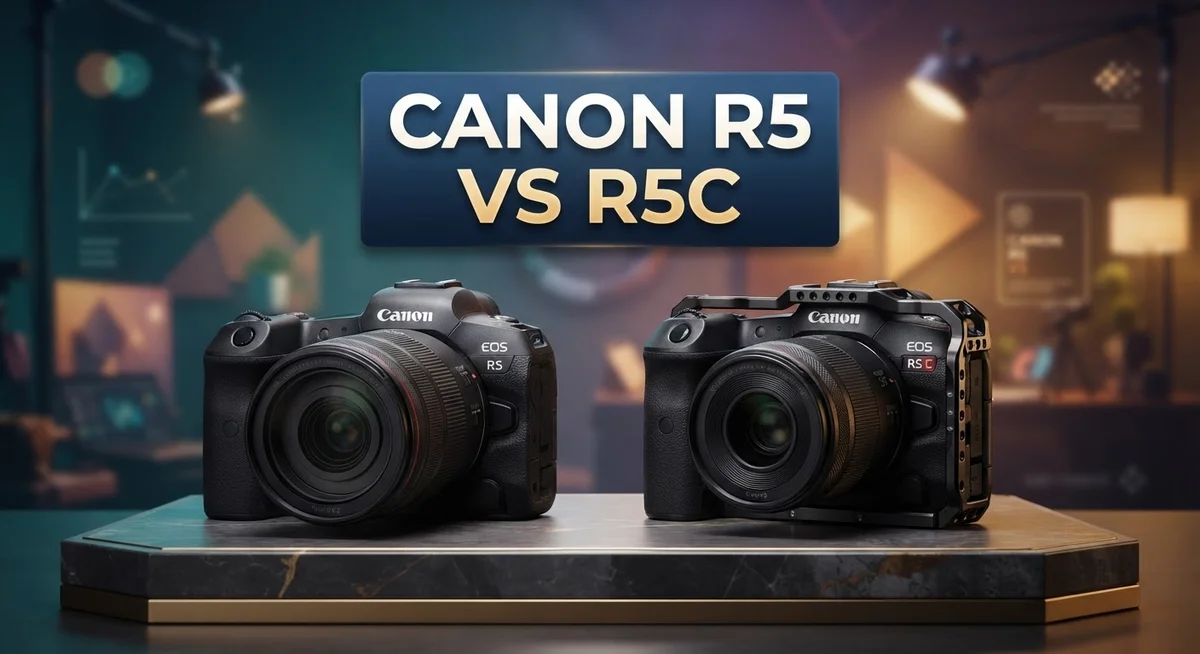
Canon R5 vs R5C: Complete Comparison for Professional Photographers and Videographers
Choosing between the Canon R5 and R5C can feel tricky. Both cameras share a 45MP full frame sensor. Both use the powerful DIGIC X processor.
But these two cameras serve different creators. The R5C targets video professionals who need 8K RAW footage. The R5 suits photographers who also shoot occasional video.
The R5C packs a built in cooling fan. This lets it record 8K video without overheating. It also supports Cinema RAW Light and XF AVC codecs for cinema style workflows.
The R5 fights back with better battery life during video recording. It also offers improved autofocus performance in video mode.
So which camera fits your creative needs? This guide breaks down every difference. You will discover which model matches your shooting style best.
In a Nutshell
Here is a quick snapshot of both cameras before you dive deeper into the details.
- Sensor and processor: Both cameras use the same 45MP full frame sensor and DIGIC X processor, so image quality stays consistent across stills.
- Video power: The R5C unlocks 8K RAW video, Cinema RAW Light, and the XF AVC codec for serious filmmakers.
- Autofocus edge: The R5 holds an advantage with sharper autofocus tracking during video capture.
- Color and dynamic range: The R5C leans into cinema style color science, giving footage a richer look straight out of camera.
- Heat management: Even with extra cooling hardware, the R5C can still hit thermal limits on longer recording sessions.
- Best fit: Choose the R5 for photography first work with occasional video, or the R5C if video output drives your projects.
- Market context: Rivals like the Canon R5 Mark II and Sony A7 series offer similar hybrid strengths worth comparing.
This snapshot sets the stage for a closer look at how each camera performs in real world shooting scenarios.
Sensor and Image Quality
Both cameras share the same 45MP full frame sensor and DIGIC X processor, which means still image quality remains virtually identical between them. You get the same resolution, color accuracy, and dynamic range for photography on either body.
The real difference emerges in how each camera processes video footage. The R5C applies cinema oriented color science that enhances dynamic range and color depth specifically for video work. This means your footage looks richer and more film like straight from the camera without heavy editing.
The R5 takes a more balanced approach to color processing. It prioritizes consistency between photo and video modes, which suits hybrid shooters who switch between stills and motion frequently. The R5 also includes a 4K pixel binning option that combines sensor data for cleaner, sharper 4K output compared to standard downsampling.
Sensor heat becomes a practical concern with the R5C. Its built in cooling fan helps manage temperatures during extended 8K recording sessions, but thermal limits can still occur on hot days or during long takes. The R5 runs cooler during video work because it doesn’t push the sensor as hard with lower resolution recording.
For dynamic range specifically, the R5C edges ahead in video mode thanks to its cinema focused processing pipeline. You capture more shadow detail and highlight information, giving you greater flexibility in color grading later. The R5 holds its own with solid dynamic range for most shooting scenarios, though it doesn’t reach the R5C’s cinema level performance.
Autofocus tracking differs between the two as well. The R5 delivers sharper, more responsive autofocus during video capture because its processing focuses on AF performance rather than splitting resources for 8K video encoding. The R5C’s autofocus remains solid, but the additional processing load affects tracking speed slightly.
If you shoot primarily stills or need balanced photo video performance, the sensor quality feels equal on both cameras. If you grade video heavily or need maximum dynamic range for color correction, the R5C’s sensor processing gives you more room to work.

- Canon USA Authorized. Items Include: Canon EOS R5 C Mirrorless Cinema Camera with 24-105 f/4L Lens...
- 45MP Full Frame Sensor: The Canon EOS R5 C combines still photography and cinema-grade video...
Last update on 2026-11-08 / Affiliate links / Images from Amazon Product Advertising API
Video Capabilities and Codecs
The R5C brings serious video firepower with 8K RAW recording capabilities. This means you capture footage at massive resolution with complete color information preserved. The R5, by contrast, maxes out at 4K video. For filmmakers who need flexibility in post production, this 8K advantage matters significantly.
Codec options separate these cameras too. The R5C supports Cinema RAW Light and the XF AVC codec. These formats let you work with professional workflows and editing systems. The R5 uses more standard video codecs, which work fine for most creators but lack the advanced features filmmakers demand.
Color science and dynamic range show another split. The R5C processes video with cinema oriented color grading. This means your footage arrives with richer tones and wider dynamic range right from the camera. The R5 takes a more neutral approach to color, which some shooters prefer for flexibility but others find less cinematic.
Here is where things get real: the R5C has a built in cooling fan. This helps during long recording sessions, but thermal limits still kick in under heavy use. The R5 handles heat differently and actually performs better for extended video work without overheating warnings. If you shoot hour long interviews or events, the R5 proves more reliable.
Autofocus performance shifts in video mode. The R5 delivers sharper autofocus tracking during video capture. Subjects stay locked in frame more reliably. The R5C focuses well too, but the R5 edges ahead here for video work.
Think about your actual shooting style. Do you need 8K RAW files and cinema workflows? The R5C is your answer. Do you shoot longer sessions and want steady autofocus without thermal stress? The R5 handles that better. Both cameras excel at video, but they serve different creative paths. Your specific needs will point you toward the right choice.
Autofocus and Performance
When it comes to autofocus, the R5 delivers superior performance during video recording. The camera tracks moving subjects with sharper precision and faster response times. This makes the R5 the better choice if you shoot fast action or unpredictable motion.
The R5C takes a different approach. Its autofocus system prioritizes cinema workflows over pure speed. You get reliable tracking, but the focus algorithm emphasizes smooth transitions rather than aggressive pursuit. This suits narrative filmmaking and controlled productions.
Autofocus in still photography remains identical on both cameras. Both use Canon’s advanced Dual Pixel CMOS AF system with excellent subject detection. Eye tracking, animal tracking, and vehicle tracking work the same way on each body. The difference only matters when you press record.
Performance beyond autofocus shows interesting contrasts. The R5 handles extended video sessions without thermal stress. Your autofocus stays responsive throughout long takes. The R5C, despite its cooling fan, experiences heat throttling on demanding shoots. This affects not just video recording but also autofocus consistency during extended use.
Buffer performance during burst shooting remains equal. Both cameras handle continuous autofocus in photo mode with the same DIGIC X processor muscle. You won’t notice any difference when capturing rapid sequences of stills.
The R5’s video autofocus advantage stems from its simpler codec structure. Processing less data means the camera dedicates more resources to focus tracking. The R5C juggles 8K RAW output, which diverts processing power away from autofocus optimization.
Real world shooting reveals the practical impact. Videographers using the R5 report snappier focus pulls and fewer hunting moments. R5C users accept slower autofocus as a trade off for cinema features. Neither camera offers poor autofocus, but the R5 edges ahead for speed and reliability.
If autofocus performance during video recording matters most to you, the R5 wins this round. Choose the R5C only if you prioritize 8K RAW capabilities over autofocus responsiveness.
Top 3 Alternatives
Sony Alpha A1

- 50.1MP full-frame stacked Exmor RS CMOS sensor w/ integral memory
- 8x more powerful, next generation BIONZ XR image processing engine

Last update on 2026-11-08 / Affiliate links / Images from Amazon Product Advertising API
The Sony Alpha A1 brings exceptional autofocus performance to professional photography. This camera features 759 autofocus points that cover nearly the entire frame. You get real-time tracking for birds, animals, and vehicles without breaking a sweat.
The sensor delivers 42.4 megapixels of resolution. You can shoot at up to 30 fps with the electronic shutter, which is perfect for fast-action moments. The camera also records 8K video at 24p, giving you cinema-quality footage right out of the box.
Nikon Z9

- 45.7MP Stacked CMOS sensor and EXPEED 7 image processing. Fast powerful AF that can keep up with the...
- Subject detection uses deep learning to automatically detect and track people, cats, dogs, birds...
Last update on 2026-11-08 / Affiliate links / Images from Amazon Product Advertising API
The Nikon Z9 stands out with its robust build quality and weather sealing. This camera handles extreme conditions better than most competitors. The 45.7-megapixel sensor captures incredible detail in every shot.
Nikon’s autofocus system tracks subjects with remarkable accuracy. You can shoot continuously at 20 fps with the mechanical shutter or 11 fps with the electronic shutter. The Z9 also excels at 8K video recording, offering multiple frame rates for creative flexibility.
Canon EOS R6

- FULL-FRAME CMOS SENSOR: 24.2 effective megapixels (approx.) lets you capture sharp, detailed images...
- DIGIC X IMAGE PROCESSOR: Enhances digital camera performance and processes, including image...
Last update on 2026-11-07 / Affiliate links / Images from Amazon Product Advertising API
The Canon EOS R6 provides outstanding value for professional and enthusiast photographers. This full-frame camera features a 20-megapixel sensor that performs beautifully in low light situations. The Dual Pixel autofocus system ensures sharp focus every single time.
You can shoot 4K video at various frame rates, making it ideal for content creators. The R6 includes in-body image stabilization that reduces camera shake by up to 8 stops. Battery life extends to approximately 380 shots per charge, keeping you shooting longer between battery swaps.
Battery Life and Thermal Management
Battery performance tells a clear story between these two cameras. The R5 delivers noticeably better battery life during video recording. This advantage comes from its simpler video processing pipeline, which demands less power from the battery pack.
The R5C consumes more energy because it handles 8K RAW recording and multiple advanced codecs simultaneously. That processing power drains your battery faster. You’ll notice the difference on longer shooting days when you’re capturing extended video clips.
Thermal management separates these cameras significantly. The R5C includes a built-in cooling fan to manage heat during intensive recording sessions. This fan helps, but it cannot solve all thermal issues. Extended 8K RAW recording still pushes the R5C toward temperature limits.
The R5 handles thermal stress better overall. Its simpler video codec structure generates less internal heat. You can record longer before the camera needs a break. This makes the R5 more practical for continuous shooting scenarios.
Real world shooting reveals an important detail: the R5C’s cooling fan adds complexity. It introduces another component that requires maintenance and potential troubleshooting. The R5 keeps things simpler with passive heat management.
Battery management becomes crucial for R5C users. You should carry extra batteries and understand the camera’s thermal warnings. Plan your shooting sessions around battery capacity and temperature thresholds.
For the R5, battery concerns feel less pressing. You get longer recording times between battery changes. This reliability matters when you’re working on set or covering events.
Think about your actual shooting patterns. If you capture short video clips with frequent breaks, both cameras work fine. If you need extended recording sessions or work in warm environments, the R5’s superior battery efficiency and cooler operation make a real difference.
The thermal fan on the R5C represents a tradeoff. You gain 8K RAW capability but sacrifice battery longevity and simpler operation. Understanding this balance helps you choose the right camera for your specific needs and shooting style.
Build Quality and Ergonomics
The Canon R5 and R5C share identical body designs and feel nearly the same in your hands. Both cameras feature the same robust magnesium alloy construction, weather sealing, and overall dimensions. You’ll notice no difference in grip comfort or button layout between them.
The real ergonomic difference emerges from their internal cooling systems. The R5C includes a built in cooling fan, which sits inside the camera body. This fan adds a subtle mechanical element you won’t find on the R5. During extended video sessions, you might hear the fan engage, though most users report it stays quiet during normal operation.
Weight remains virtually identical on both models. The R5C weighs just slightly more due to the cooling mechanism, but the difference is negligible in real world shooting. You won’t feel the distinction when carrying either camera all day.
Handling characteristics stay the same across both bodies. The shutter button, mode dial, and menu system function identically. Both cameras offer the same intuitive interface, so switching between them requires zero learning curve. Battery compartments and card slots occupy the same positions.
The ergonomic advantage shifts based on your shooting style. If you shoot primarily stills, both cameras feel equally comfortable. For video work, the R5C’s cooling system means less thermal throttling, so you can shoot longer without interruptions. The R5 maintains better thermal performance for stills, making it slightly more comfortable during burst shooting sessions.
Viewfinder experience stays consistent on both models. You get the same electronic display, refresh rate, and magnification. The rear LCD screen functions identically too, offering the same touch controls and articulation options.
Build quality remains excellent on both cameras. Canon uses premium materials throughout. Both bodies withstand professional use and harsh environments effectively. Weather sealing protects against dust and moisture equally on each model. The durability feels identical, so either camera lasts for years of intensive shooting.
Your choice here depends on intended use rather than physical comfort. The R5 feels slightly better for pure photography work. The R5C suits hybrid shooters who need extended video capability without thermal concerns interrupting their workflow.
Pros and Cons
Pros
- R5C captures 8K RAW video with Cinema RAW Light, opening professional post production workflows
- R5C records multiple advanced codecs including XF-AVC for flexible editing and delivery options
- R5C delivers superior color science and dynamic range optimized for cinema work
- R5 offers better battery life during video sessions without thermal strain
- R5 provides faster autofocus tracking during video recording thanks to simpler codec processing
Cons
- R5C drains batteries quickly due to demanding 8K RAW processing and multiple codec handling
- R5C thermal management requires active cooling fan operation, adding mechanical complexity to the system
- R5 lacks 8K video capability, limiting options for high resolution cinema production and future proofing
Who Should Buy It
The R5 suits photographers who prioritize still image quality with occasional video needs. If you shoot mostly photos and want reliable battery performance throughout the day, the R5 delivers what you need. The 45MP sensor and DIGIC X processor handle professional stills work beautifully on both models.
Choose the R5C if you’re a serious videographer or content creator who needs cinema-grade output. The 8K RAW video capability opens doors that the R5 simply cannot match. If your workflow involves color grading, professional editing, or delivering to broadcast clients, the R5C’s superior color science and dynamic range justify the switch.
Hybrid shooters face a real decision here. You might split your time between stills and video, but which matters more? The R5C demands more from you as an operator. Its thermal fan runs during intensive sessions, and battery management becomes a constant consideration. The R5 lets you work longer without thinking about these constraints.
Professional studios benefit from the R5C’s Cinema RAW Light format. Your post production team gains maximum flexibility with uncompressed RAW footage. The XF-AVC codec option also streamlines delivery workflows for different platforms. These advantages matter when clients demand specific technical specifications.
Travel photographers lean toward the R5. Lighter battery loads, fewer thermal worries, and simpler operation make extended trips less stressful. You get professional image quality without the video-specific overhead.
Budget-conscious professionals should consider the R5 carefully. You lose 8K capability, but you gain freedom from thermal management headaches. Many working photographers find 4K video more than sufficient for client projects.
Rental houses often stock both models. If you’ve never used either camera, rent the R5C first for a demanding shoot. Experience the thermal fan and battery drain in real conditions. Then rent the R5 for comparison. This hands-on approach reveals which camera fits your actual workflow, not just your wishlist.
The R5 works for photographers who occasionally shoot video. The R5C works for videographers who occasionally shoot photos. Your primary purpose determines which one deserves space in your bag.
Final Verdict
Picking between these two cameras comes down to one simple question. What does your work actually demand from a camera?
The Canon R5 shines as a photography powerhouse. It handles stills with speed and precision. Video acts as a bonus feature rather than the main event.
The Canon R5C flips this priority. It treats video as a first class citizen. Photography still works well, but the camera clearly leans toward filmmakers and content creators.
Think about your five year plan. If your career moves toward video production, the R5C gives you room to grow. Its codec options and cinema tools support projects you might not tackle yet.
If you shoot mixed content now but rarely touch professional video formats, the R5 keeps things simple. You get excellent image quality without managing extra complexity.
Consider your existing gear too. Videographers with cinema lenses and rigs often find the R5C fits their workflow naturally. Photographers with a stills focused kit may prefer the straightforward nature of the R5.
Your editing software matters as well. If you already work with RAW video formats, the R5C makes sense. If your pipeline centers on photo editing tools, the R5 avoids unnecessary overlap.
Neither camera is objectively better. They serve different creative paths. One camera won’t replace good planning or skill, but the right choice removes friction from your workflow.
Ask yourself what frustrates you most in your current setup. Missing video features? Switch to the R5C. Battery anxiety or unnecessary complexity? Stay with the R5.
Bottom line: match the camera to your actual output, not your aspirational one. Both models deliver outstanding image quality. The real difference lies in how each system supports your specific creative goals.
Choose based on what you create today, and where you genuinely see yourself heading next.
Frequently Asked Questions
Which camera handles 8K video better?
The R5C is the clear winner here. It records 8K RAW video using Canon’s Cinema RAW Light format. This gives you maximum flexibility in post production. The R5 maxes out at 4K, so if 8K output matters to your work, the R5C is your only choice between these two.
Does the R5 have any video advantages over the R5C?
Yes, actually. The R5 offers faster autofocus tracking during video because it processes simpler codecs. You’ll also experience better battery life during long video shoots. The R5 avoids the thermal strain that the R5C faces, so you can record longer sessions without worrying about overheating.
What’s the real difference in thermal performance?
The R5C includes a built in cooling fan to handle 8K processing demands. Even with this fan, battery drains quickly and heat remains a concern during extended shoots. The R5 operates without active cooling. It simply doesn’t need it because the codec workload is lighter. For outdoor work or travel, the R5’s simpler thermal profile feels less restrictive.
Should I choose based on my primary work type?
Absolutely. Ask yourself what you actually create most. If you’re primarily a still photographer who shoots video occasionally, the R5 keeps your workflow straightforward. If you produce cinema content, edit in professional studios, or need RAW video formats regularly, the R5C aligns with your output requirements. Your answer usually becomes obvious once you honestly assess your current projects.

Dillip is the founder and editor of Switch & Size, where he breaks down tech products, accessories, and gadgets to help readers make smarter buying decisions. With a passion for testing and comparing the latest technology, he delivers honest reviews, in-depth guides, and side-by-side comparisons that cut through the marketing noise.