
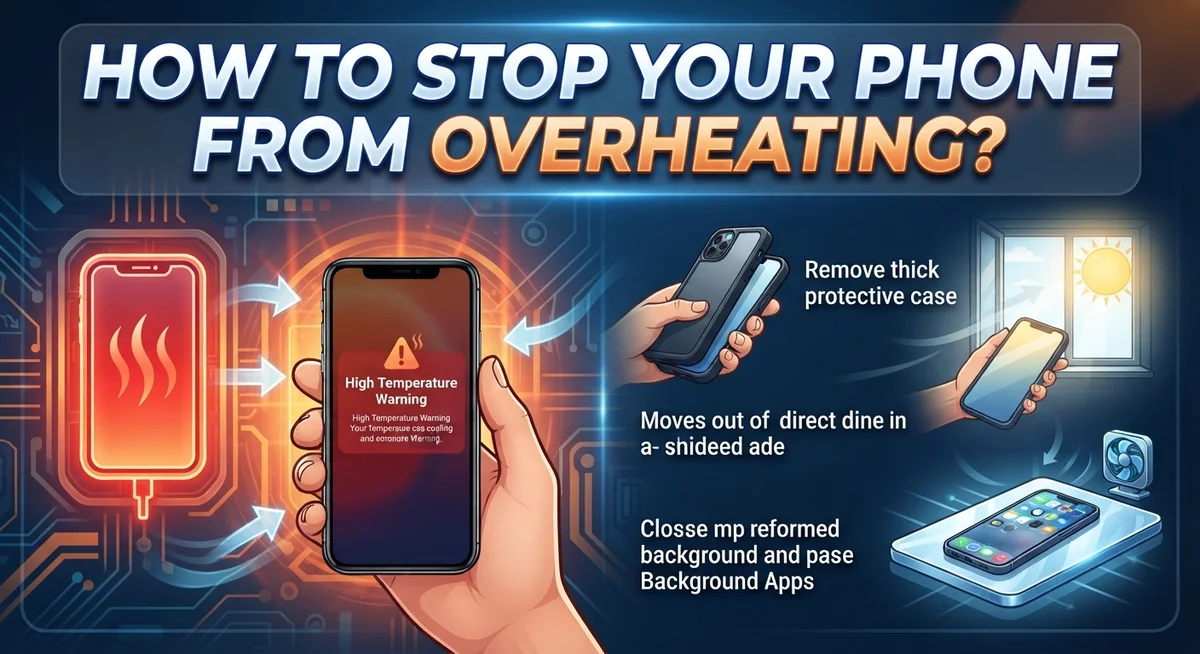
How to Stop Your Phone From Overheating: Causes, Fixes & Prevention Tips
Your phone feels hot to touch. The screen dims by itself. Apps start lagging or crashing without warning.
Sound familiar? Overheating is one of the most common phone problems people face today.
The good news? You can fix it. And you can prevent it from happening again.
Your phone heats up for a few key reasons. Direct sunlight plays a big role. So does heavy usage like gaming or streaming videos. Charging while using your phone adds extra strain too.
There is a difference between normal warmth and real overheating. Your phone naturally gets warm during use. That’s normal. But when it becomes hot to touch or shuts down apps, that’s a problem worth solving.
This article will show you exactly how to cool down your phone fast. You’ll learn simple steps like removing your phone case and enabling airplane mode. We’ll also cover background app management and brightness settings.
Plus, we will highlight common mistakes that make overheating worse. Things like leaving your phone in a hot car or running too many apps at once.
By the end, you will know how to keep your phone cool in any situation.
In a Nutshell
Here is a quick summary to help you cool things down fast.
-
Remove the phone case right away. This helps trapped heat escape faster.
-
Turn on airplane mode during heavy use. This stops your phone from working overtime to find signals.
-
Never charge and use your phone at the same time. This combo creates extra heat that builds up quickly.
-
Close background apps you are not using. Too many open apps strain your processor and cause heat.
-
Lower your screen brightness. Bright screens use more power and add to the heat problem.
-
Keep your phone out of direct sunlight. Avoid hot cars, stoves, or radiators at all costs.
-
Limit gaming and video streaming sessions. These activities push your phone to work hard for long periods.
Follow these simple steps whenever your phone starts feeling warm. Small changes make a big difference in preventing overheating. Your phone will run cooler and last longer with these easy habits.
Why Phones Overheat: Common Causes Explained
Your phone generates heat through two main sources: hardware working hard and environmental factors pushing it over the edge.
When you run demanding apps like games or stream videos, your processor and graphics chip work at full speed. This activity creates heat naturally. Your battery also releases energy as warmth during use and charging. The longer these components run, the more heat builds up inside your phone.
Environmental heat makes things worse. Direct sunlight heats your phone’s exterior and interior. Hot cars trap extreme temperatures around your device. Placing your phone on radiators, stoves, or other hot surfaces transfers heat directly to it. Even holding your phone in your hands for long periods adds warmth.
Background apps drain power constantly. These apps refresh data, check notifications, and run processes you do not see. Each background task makes your processor work, which generates additional heat. High screen brightness also forces your display and processor to work harder, creating more thermal energy.
Charging is a major heat producer. Your phone’s charging circuit converts power and your battery absorbs energy. When you use your phone while charging, you add processing heat on top of charging heat. This combination creates dangerous temperature spikes.
The difference between normal and problematic heat matters. Your phone naturally feels warm after 20 minutes of gaming. This is normal. Problematic overheating happens when your phone becomes too hot to hold comfortably, your screen dims automatically, or your device shuts down unexpectedly.
Understanding these causes helps you prevent problems. Your phone does not overheat randomly. Specific activities and conditions trigger it. By knowing what causes heat buildup, you can avoid these situations and keep your device running smoothly.
Normal Warmth vs. Dangerous Overheating: How to Tell the Difference
Your phone generates heat naturally during use, but knowing when warmth becomes dangerous is essential. Normal warmth occurs when your device works hard for short periods. Gaming for 20 minutes, streaming a video, or charging typically produces mild heat you can feel on the back or sides.
This normal warmth usually disappears within minutes after you stop the activity. Your phone might feel slightly uncomfortable to hold, but it functions normally. The screen stays bright, apps respond quickly, and you experience no performance issues.
Dangerous overheating is different. Your device becomes too hot to hold comfortably for more than a few seconds. The back feels burning hot, and the heat spreads across the entire phone rather than staying in one spot.
When your phone truly overheats, it sends you warning signs. The screen automatically dims to reduce power consumption and heat production. Your phone might slow down noticeably or freeze temporarily. Some devices show heat warning messages or shut down apps without your permission. Battery percentage can drop rapidly even though you are not using demanding apps.
The location of heat matters too. Normal warmth concentrates near the camera area or charging port. Dangerous overheating spreads everywhere, including the screen and battery area.
Temperature also indicates the problem level. You can hold a normally warm phone for 10 seconds without discomfort. An overheating phone becomes painful to touch within 2 to 3 seconds.
Pay attention to when the heat appears. If your phone heats up only during specific activities like gaming, that is usually normal. If it heats up while sitting idle or during light tasks like texting, overheating is occurring.
Context matters as well. Summer heat, direct sunlight, and hot environments make normal warmth feel more intense. Your phone might feel hotter simply because the air temperature is higher, not because something is wrong inside.
Step-by-Step: What to Do When Your Phone Overheats
When your phone starts overheating, act fast. The first thing you should do is stop using it immediately. Put the device down and let it rest for a few minutes.
Next, remove any protective case or cover. Cases trap heat inside your phone. Removing it allows air to circulate around the device and cool it down faster.
Turn on airplane mode right away. This stops your phone from searching for signals and reduces background activity. Your device will work less hard and generate less heat.
Move your phone to a cool location. Place it somewhere with shade and good air circulation. Never put it in a freezer or refrigerator, as extreme cold can damage the internal components.
Close all apps you are not actively using. Open your settings and check which apps run in the background. Swipe them closed one by one. Background apps consume power and create unnecessary heat.
Lower your screen brightness to the minimum level you can tolerate. The display uses significant power and generates heat. You can adjust this in your phone’s settings under brightness or display options.
Disable background app refresh if you have not already. This feature allows apps to update even when you are not using them. Turn it off temporarily until your phone cools down.
Stop charging your phone immediately if it is plugged in. Charging generates heat on its own. Combined with overheating, this creates a dangerous situation.
If your phone has a battery saver or low power mode, enable it now. This mode limits performance and reduces power consumption significantly.
Wait at least 15 to 30 minutes before using your phone again. During this time, your device can return to a safe temperature. Once it cools down completely, you can resume normal use with better habits in place.
Everyday Habits to Prevent Overheating
Your daily habits play a huge role in keeping your phone cool. Small changes to how you use your device can prevent most overheating problems before they start.
Start with your screen brightness. High brightness forces your display to work harder and generates more heat. Lower your brightness to a comfortable level during normal use. Your eyes adjust quickly, and your phone stays cooler. Many phones have adaptive brightness that changes automatically based on lighting conditions. This feature helps reduce heat naturally throughout the day.
Close apps you are not using. Each open app consumes power and creates heat. Swipe through your running apps regularly and close anything you finished using. This simple habit keeps your processor from working overtime.
Give your phone breaks during intensive tasks. If you play games or watch videos, take a 10 minute break every hour. Let your phone cool down between sessions. This prevents heat from building up over time.
Keep your phone away from heat sources. Never place it on radiators, near heaters, or on hot surfaces. Avoid leaving it in your car on warm days. Even indirect heat from sunshine through windows can raise your phone’s temperature. Store your phone in cool, shaded areas when you are not using it.
Charge at the right time. Avoid charging during hot weather or in warm rooms. Charge your phone in cool environments when possible. Overnight charging in an air conditioned bedroom is ideal. Never use your phone while it charges, as this creates double the heat.
Manage your usage patterns. Spread out demanding activities throughout the day instead of doing them all at once. This gives your phone time to cool between uses.
These everyday habits reduce strain on your device and keep temperatures normal. Consistent practice prevents most overheating issues from occurring.
Charging Practices That Keep Your Phone Cool
Your charging habits directly impact whether your phone stays cool or overheats. The way you charge matters just as much as when you charge.
Avoid using your phone while it charges. This combination creates double heat stress. Your device generates heat from charging, and active use generates more heat simultaneously. This puts extreme pressure on your battery and processor. Simply wait until charging finishes before using your phone again.
Don’t charge in hot environments. Warm rooms, direct sunlight, and enclosed spaces trap heat around your device. Find a cool, shaded spot for charging instead. Your phone’s battery works harder in heat, which creates a dangerous cycle of increasing temperatures.
Remove your phone case before charging. Cases trap heat and prevent air from cooling your device. This simple step allows heat to escape naturally. Leave the case off for at least the duration of charging.
Charge during cooler times of day. Morning or evening charging is better than midday or afternoon charging. Your phone experiences less ambient heat stress during these periods. This reduces the overall thermal load on your battery and components.
Use original or certified chargers only. Cheap or damaged chargers deliver power inefficiently, creating excess heat. Quality chargers regulate power delivery better and keep temperatures stable.
Unplug immediately after charging finishes. Leaving your phone plugged in after it reaches 100 percent forces your battery to work unnecessarily. This generates heat even when you’re not using the device. Set a timer or reminder if you forget to unplug regularly.
Limit intensive tasks during charging. Don’t game, stream videos, or run demanding apps while your phone charges. Wait until charging completes to resume these activities.
These charging practices form the foundation of heat prevention. Small changes to your routine create significant improvements in your phone’s temperature management.
Common Mistakes That Make Overheating Worse
Many people accidentally make their phone’s overheating problem worse. Understanding these mistakes helps you avoid them and keep your device running cool.
Leaving your phone in direct sunlight is one of the biggest errors. Your phone absorbs heat from the sun just like any object does. Even a few minutes in bright sunlight can raise the internal temperature quickly. Always keep your phone in your pocket, bag, or shade when you are outside.
Placing your phone on hot surfaces creates serious problems. Radiators, stoves, car dashboards, and sunny windowsills all transfer heat directly into your device. Your phone cannot cool down when it sits on these surfaces. Keep your phone away from any warm or hot areas in your home or car.
Using your phone while it charges forces it to work harder and generate more heat. Your battery produces heat while charging. Your processor also heats up when you use apps simultaneously. This combination creates dangerous temperature levels. Simply wait until charging finishes before using your phone for demanding tasks.
Running too many background apps drains your battery and creates unnecessary heat. Each active app consumes power and generates warmth. Close apps you are not actively using right now. Check your settings regularly to see which apps run in the background.
Extended gaming or streaming sessions push your phone to its limits. These activities demand constant processor and graphics work. Your phone generates significant heat during these intensive tasks. Take regular breaks every 30 to 60 minutes to let your device cool down.
High screen brightness forces your display to work harder than necessary. Brighter screens consume more power and produce more heat. Reduce your brightness to a comfortable level. Enable automatic brightness adjustment if your phone offers this feature.
Avoiding these common mistakes keeps your phone cooler and protects its long term health.
Troubleshooting Persistent Overheating Problems
When your phone continues to overheat despite your best efforts, you need a systematic approach to find the real problem. Start by checking what apps are running in the background. Some applications drain power constantly without your knowledge. Open your settings and review which apps have permission to refresh data automatically. Disable this feature for apps you don’t need updates from immediately.
Next, examine your phone’s storage space. A phone with very little free storage works harder to function. This extra effort generates heat. Delete old files, photos, and apps you no longer use. Aim to keep at least 10 percent of your storage empty at all times.
If overheating happens mainly during specific activities, that app itself may be the culprit. Uninstall or update any app that consistently causes problems. Check your app store for updates to all installed applications. Developers often release updates that fix performance issues and reduce heat generation.
Consider your phone’s age and condition. Older phones naturally run hotter because their batteries degrade over time. If your phone is several years old, the internal battery may no longer function efficiently. A worn battery works harder and produces more heat.
Check whether your phone’s sensors are working properly. Your device has temperature sensors that should trigger cooling mechanisms automatically. If these sensors malfunction, your phone won’t cool itself effectively. You may need professional diagnostics to identify sensor problems.
Test your phone in different environments. If it only overheats outdoors during summer or at specific locations, environmental factors are likely responsible rather than a device malfunction. Move to cooler areas and monitor whether the problem persists.
If none of these steps resolve persistent overheating, your phone may have internal hardware damage. Contact a repair specialist who can inspect your device’s internal components and battery health.
Final Thoughts
Keeping your phone cool does not need to be hard. Small daily habits make a big difference over time.
Simple changes like avoiding direct sunlight and closing extra apps protect your device. These steps take just seconds to do.
Your phone works hard every day. It handles calls, apps, games, and more. Give it a chance to breathe by following the tips above.
Remember the basics: keep your phone out of hot cars, avoid charging while using it, and watch your screen brightness. These three habits alone prevent most overheating problems.
Think of your phone like your own body. Just as you avoid extreme heat, your phone needs the same care. It cannot tell you when it feels too warm, but the signs are there if you watch for them.
A phone that shuts down apps or dims its screen is telling you something. Listen to these warning signs early. Acting quickly prevents bigger problems later.
Overheating is often temporary and fixable. Most causes come from simple things like weather, sunlight, or heavy app use. Once you remove the cause, your phone cools down naturally.
However, persistent overheating deserves attention. If your phone stays hot even after trying these fixes, something deeper might be wrong. Do not ignore this pattern.
Your phone represents a real investment. Taking care of it protects that investment and keeps it running smoothly for years.
Start with one or two changes today. Maybe reduce your brightness or close background apps. Small steps lead to real results.
Building these habits becomes second nature over time. Soon you will not even think about it. Your phone stays cooler, works better, and lasts longer.
Stay mindful of how you use your phone. This simple awareness prevents most overheating issues before they even start. Your device will thank you with better performance and longer life.
Frequently Asked Questions
Why does my phone get hot when I charge it?
Charging generates heat naturally. Your phone’s battery converts electrical energy, which produces warmth. When you use your phone while charging, it works even harder. The device processes data, runs apps, and charges simultaneously. This double workload creates more heat than normal. Avoid using your phone during charging to keep temperatures down. Let it charge in a cool location without interruption.
Is it normal for my phone to get warm?
Yes, some warmth is completely normal. Your phone has a processor that works like a tiny computer. Processing power always creates heat. You might notice warmth during gaming, video calls, or heavy use. However, your phone should never feel too hot to hold. If you cannot keep your phone in your hand comfortably, something is wrong. Normal warmth feels mild and goes away quickly after you stop using the device.
What should I do if my phone keeps shutting down from heat?
Your phone shuts down to protect itself. This happens when internal temperatures get dangerously high. First, turn off your phone completely and let it cool down. Remove the case so air can circulate better. Keep it away from sunlight and hot surfaces. Once it cools, check your storage space. A full phone works harder and generates more heat. Close unnecessary background apps running in the background.
Can a phone overheat permanently damage it?
Yes, repeated overheating damages internal components. The battery degrades faster with heat exposure. Circuits can fail if temperatures stay too high. Consistent overheating shortens your phone’s lifespan significantly. Prevention is much easier than repair. Address overheating problems early before they cause lasting damage.

Dillip is the founder and editor of Switch & Size, where he breaks down tech products, accessories, and gadgets to help readers make smarter buying decisions. With a passion for testing and comparing the latest technology, he delivers honest reviews, in-depth guides, and side-by-side comparisons that cut through the marketing noise.


