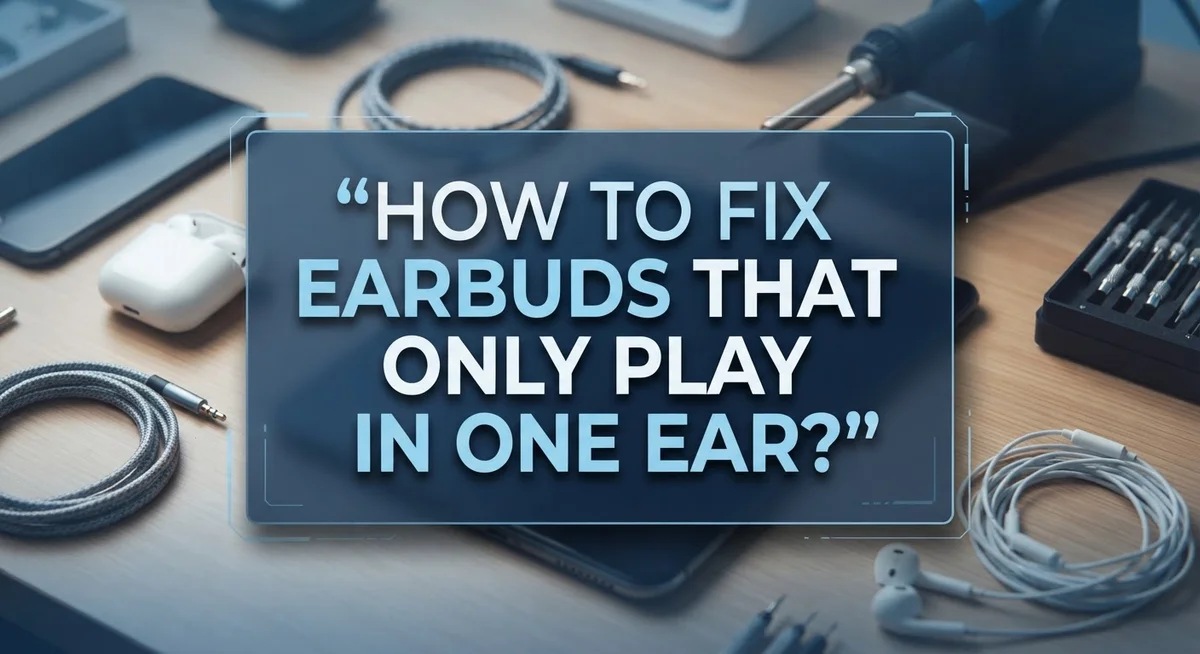
How to Fix Earbuds That Only Play in One Ear: Complete Troubleshooting Guide
Have you ever put on your earbuds, hit play, and heard sound from only one side? It’s a frustrating problem. You just want to enjoy your music or podcast, but something feels off.
The good news is this issue is very common. It happens with wired and wireless earbuds alike. Most of the time, the fix is simple.
The problem could be small debris blocking the speaker grill. It might be a Bluetooth connection glitch. Sometimes, your audio balance settings are just set wrong.
In this guide, we will walk you through every possible cause. We will show you how to isolate the problem step by step. You will learn how to clean your earbuds properly.
We will also cover Bluetooth resets and battery checks. By the end, you will know exactly why your earbud stopped working. More importantly, you will know how to fix it.
Let’s get your sound back to normal, in both ears.
In a Nutshell
Here’s a quick summary to help you fix the issue fast. Check these points before you dive deeper into the guide.
-
Clean first, always. Dirt and wax on the speaker grill cause most one ear problems. A quick clean often solves it instantly.
-
Reset your Bluetooth connection. Forget the device in your settings, then pair it again. This clears up many hidden glitches.
-
Check your audio balance. Your phone or laptop might have the sound leaning to one side. A simple setting adjustment fixes this.
-
Charge both earbuds fully. A weak battery on one bud can cause it to cut out or sound quiet.
-
Test with another device. Play a song on a different phone or tablet. This tells you if the problem is your earbuds or your device.
-
Insert buds in order. Put the left earbud in first, then the right one. This small habit helps them sync correctly every time.
Follow these steps in order for the quickest fix.
Common Causes Behind One-Sided Earbud Sound
Your earbuds only playing in one ear usually stem from a few specific issues. Understanding what causes this problem helps you fix it faster.
Debris and buildup is the most common culprit. Earwax, lint, and dust collect on the speaker grill over time. This blocks sound from reaching your ear. The mesh covering the speaker is tiny, so even small particles cause big problems.
Bluetooth connection problems rank second. Your earbuds might not be properly paired with your device. A weak or interrupted connection can cause one bud to disconnect or fail to sync. This happens more often than you’d think.
Audio balance settings are another frequent cause. Your phone, tablet, or computer might have the audio balance adjusted to one side. This makes sound come through only the left or right earbud even though both are working fine.
Battery issues affect one earbud more than the other sometimes. If one bud has lower charge, it may cut out or produce quieter sound. Uneven battery levels between earbuds create this one sided effect.
Hardware problems like faulty wiring or damaged speaker components cause permanent one ear issues. Internal wiring can break from regular use or dropping the earbuds.
Device specific problems mean the earbuds work fine on one device but not another. Your phone settings might conflict with the earbuds while your laptop works perfectly.
The good news is most of these causes are fixable without buying new earbuds. Start by identifying which cause applies to your situation. Then follow the appropriate fix. Most people solve this problem within minutes using basic troubleshooting steps.
Isolating the Problem: Earbuds, Device, or Connection
Finding out which part is causing the problem saves you time and money. You need to figure out if the issue is with your earbuds, your device, or the connection between them.
Start by testing your earbuds on a different device. Borrow a friend’s phone, tablet, or computer. Play the same song or audio you tested before. If sound comes through both ears on the new device, your earbuds work fine. This means the problem is with your original device or its connection.
If only one ear still plays sound on the second device, your earbuds have the issue. Move forward with cleaning and hardware checks.
Test your device with different earbuds. If you have another pair available, connect them to your phone or laptop. Play audio through these backup earbuds. Sound in both ears means your device works correctly. The problem is definitely your original earbuds.
Check your Bluetooth connection status. Go to your device settings and look at paired devices. See if your earbuds show as connected or if they appear disconnected. Sometimes earbuds connect to one side only due to pairing errors.
Inspect your audio balance settings. Open your device settings and find audio or sound options. Look for balance controls. The slider might be pushed all the way to the left or right side. Centering this slider often fixes one ear problems instantly.
Test with different audio sources too. Try music streaming apps, videos, voice calls, and podcasts. One ear issues sometimes appear only with specific audio types.
These tests pinpoint exactly where the problem lives. You’ll know whether to focus on your earbuds, device settings, or Bluetooth connection next.
Step-by-Step: Cleaning Your Earbuds and Charging Case
Cleaning your earbuds and charging case is often the fastest way to restore sound to both ears. Dirt, earwax, and lint accumulate on the speaker grills over time and block audio output.
Start by inspecting the speaker mesh on both earbuds. Look closely at the small openings where sound comes out. You’ll likely see a thin layer of debris stuck to the surface. Use a dry, soft brush or an old toothbrush with soft bristles to gently brush away visible particles. Move the brush in circular motions across the speaker area.
For stubborn buildup, try a slightly damp cotton swab. Dampen it with just a tiny amount of water or rubbing alcohol. Gently wipe the speaker grill without pressing hard. Let the earbuds air dry completely before using them again. Never pour liquid directly onto the earbuds, as moisture can damage internal components.
Clean the charging contacts next. These metal points on both the earbuds and case can develop corrosion or dirt. Use a dry cotton swab to wipe each contact carefully. This ensures proper power transfer between the earbuds and case.
Don’t forget the charging case itself. Wipe down the interior with a dry cloth to remove dust and debris. Check the charging port for lint buildup and gently remove any particles you find.
After cleaning, place both earbuds in the case and let them charge fully. This step is crucial because incomplete charging can cause one earbud to work poorly. Give them at least two to three hours to reach full capacity before testing.
Fixing Bluetooth Pairing and Connection Issues
Bluetooth pairing and connection issues rank second among causes of one sided earbud sound. The good news is fixing these problems takes just a few minutes.
Start by forgetting your earbuds from your device’s Bluetooth settings. Go to your phone or computer’s Bluetooth menu. Find your earbuds in the paired devices list. Select “Forget” or “Remove.” This completely erases the old connection.
Next, turn off Bluetooth on your device. Wait about 10 seconds. Turn Bluetooth back on. This resets your device’s Bluetooth radio.
Now put both earbuds back in their charging case. Leave them there for 30 seconds. This allows them to reset their internal pairing memory. Take them out and place them near your device.
Open your Bluetooth settings again. Look for your earbuds in the available devices list. Tap to pair them fresh. Many users find this single step solves their one ear problem.
If pairing succeeds but sound still plays in only one ear, try inserting the earbuds in a specific order. Put the left earbud in first. Wait 2 seconds. Then insert the right earbud. Some models require this sequence to sync properly.
Test with a different audio source after reconnecting. Play music, a podcast, or a video. Move around your space to check for signal strength issues. Walls and distance can weaken Bluetooth signals.
If one earbud still refuses to play sound after these steps, the problem likely sits elsewhere. Your earbuds may have debris blocking the speaker, or the connection issue may stem from your device’s audio settings instead of Bluetooth pairing itself.
Checking and Adjusting Audio Balance Settings
Audio balance settings control how sound distributes between your left and right ear. When these settings shift, one earbud may seem silent even though it’s working fine. This is one of the easiest fixes to try.
Start by opening your device settings. Look for “Sound,” “Audio,” or “Volume” options. Most devices keep these in the main settings menu. On phones, you’ll find them under System or Display settings. On computers, check your control panel or system preferences.
Once you locate audio settings, search for “Balance” or “Audio Balance.” This slider typically shows a line with left and right channels marked. If the slider leans completely toward one side, sound routes only to that ear. Drag the balance slider to the center position. This ensures both ears receive equal sound.
Some devices hide balance settings deeper in menus. Check “Advanced Audio” or “Sound Options” if you don’t see balance immediately. Accessibility settings sometimes contain audio balance controls too.
After adjusting the balance, play music or a video to test both ears. You should hear sound from both sides now. If sound still plays in only one ear, the issue lies elsewhere.
Test with different audio apps to confirm the fix worked. Try music streaming services, video platforms, or voice calls. Different apps sometimes use separate audio settings.
On some devices, balance settings reset when you restart. If sound returns to one ear later, you may need to adjust balance again. This tells you your earbuds work fine but your device settings need regular attention.
Testing Across Multiple Devices and Audio Sources
Testing your earbuds across multiple devices and audio sources helps you pinpoint exactly where the problem lives. This step matters because the issue might exist with your earbuds themselves, your phone, your computer, or the Bluetooth connection between them.
Start by connecting your earbuds to a completely different device. If you normally use an iPhone, try pairing them with a tablet, laptop, or another phone. Play music or a video on this new device. Does sound come through both ears now? If yes, your earbuds work fine. The problem sits with your original device instead.
Next, test with different audio sources on that same device. Try YouTube, Spotify, Apple Music, or your device’s built in music app. Some apps have their own audio settings that might affect sound output. Play a video, then a song, then a podcast. Listen carefully to both ears each time.
Pay attention to which ear stays silent. Does the same ear fail on every device, or does it change? If the same ear always fails, your earbuds likely have a hardware problem. If the silent ear changes depending on the device, your device settings or Bluetooth connection needs attention.
Write down your findings. Note which device works and which doesn’t. Record which audio apps produce sound in both ears versus one ear. This information becomes extremely valuable when you decide your next troubleshooting step.
Testing multiple devices and sources takes just ten minutes but saves you hours of frustration. You’ll know exactly whether to focus on cleaning your earbuds, adjusting device settings, or exploring deeper hardware issues.
Common Mistakes That Delay a Fix
Many people rush through fixes without realizing they’re making mistakes that waste time. Understanding these errors helps you solve the problem faster.
Skipping the cleaning step ranks as the biggest mistake. Earwax, lint, and dust block the speaker grill constantly. People assume their earbuds are broken when simple cleaning solves it. Grab a dry cotton swab and gently clean around the mesh speaker area. Check the charging case too, since debris there causes connection problems.
Not resetting your Bluetooth connection properly is another common error. People forget their earbuds but don’t restart their device first. This leaves old connection data that interferes with new pairing. Always turn off Bluetooth completely, wait 10 seconds, then turn it back on.
Ignoring audio balance settings wastes significant time. Your device might have the balance slider pushed all the way to one side. Check your settings before assuming hardware failure. Many people miss this because they don’t know the setting exists.
Testing only one device leads people down the wrong path. Your earbuds might work fine on a tablet but fail on your phone. This tells you the problem is device specific, not earbud specific. Always test at least two different devices.
Inserting earbuds in random order also causes issues. Some earbuds need the left earbud inserted first to establish proper connection. Try inserting them sequentially rather than both at once.
Finally, people test with only one audio app. A problem might exist in one app’s settings while other apps work perfectly. Switch between music apps, videos, and podcasts to identify the real issue.
When to Suspect a Hardware or Wiring Fault
A hardware or wiring fault means something inside your earbud is physically broken or damaged. You should suspect this issue after you’ve ruled out simpler problems like dirt, connection issues, or audio settings.
Start by checking if the problem follows the earbud or the device. Connect your earbuds to a different phone, tablet, or computer. If the same ear stays silent on every device, your earbud likely has an internal problem. If sound works on another device, the issue belongs to your original phone or tablet instead.
Next, inspect the speaker grill closely with good lighting. Look for visible damage, cracks, or corrosion inside the mesh. Press gently on the earbud casing to feel for loose parts rattling inside. These signs point to hardware failure rather than a software glitch.
For wired earbuds, bend the cord gently near the jack and along its length. Listen for crackling or popping sounds that appear and disappear as you move the cord. This behavior indicates broken internal wires. Wired earbuds with damaged cords rarely recover on their own.
Check the charging contacts on wireless earbuds too. Green or white corrosion on the metal pads suggests moisture damage. Corroded contacts prevent proper charging and power delivery to the speaker.
Battery problems also signal hardware issues. If one earbud refuses to charge or dies quickly, the battery inside may be failing. A working earbud should hold charge for at least several hours.
When you observe these signs consistently across multiple devices and audio sources, your earbud has a genuine hardware fault. At this point, repair or replacement becomes your best option.
Final Thoughts
Fixing one earbud that stays silent does not have to feel impossible. Most cases trace back to simple issues like dirt, wrong Bluetooth settings, or a low battery.
Start with the easiest fixes first. Clean your earbuds and check the balance settings before you assume something is broken.
Patience matters here. Rushing through steps often means missing the actual problem, so slow down and check each cause carefully.
If cleaning and resetting do not work, test your earbuds on another device. This step tells you if the fault sits inside the earbud or somewhere else.
A hardware fault feels different from a software glitch. Crackling sounds, physical damage, or a battery that will not hold charge all point toward internal problems that cleaning cannot solve.
Sometimes the fix is quick, like reseating the earbud or clearing a blocked speaker grill. Other times, you might need professional repair or a replacement earbud.
Do not give up after one failed attempt. Many people fix their earbuds by simply working through each step in order instead of guessing randomly.
Keep your earbuds clean on a regular basis. This one habit alone prevents most of the silent ear problems people face.
Your earbuds work hard every day, and small maintenance steps keep them running smoothly for a longer time.
Remember that both software glitches and hardware faults show clear warning signs. Learning to spot these signs saves you time and stress in the future.
With the right approach, you can solve most one ear earbud problems on your own. Stay calm, follow the steps, and your sound should return to both ears soon.
Frequently Asked Questions
Why is only one earbud producing sound?
The most common reason is physical blockage. Earwax, lint, and dust collect on the speaker grill over time and block sound from coming through. This happens more often than you might think. Check the mesh screen on your silent earbud with a bright light.
Your audio balance settings could also be the culprit. Many devices have a balance slider that accidentally gets pushed all the way to one side. Open your device’s audio settings and check this first.
Bluetooth connection problems rank third. Your device might be connected to only one earbud, or the connection is unstable.
How do I clean earbuds properly?
Use a soft, dry cloth to wipe the speaker grill gently. Never use water or liquid cleaners on the mesh area. For stubborn debris, a dry soft toothbrush works well to brush away lint and wax.
Let the cloth sit on the grill for a few seconds. This allows moisture from the air to soften dried earwax slightly. Then brush again with light pressure.
Check the charging contacts on wireless earbuds too. Dirty contacts prevent proper charging and can cause one earbud to die.
Should I reset my Bluetooth connection?
Yes. Resetting Bluetooth often fixes one sided audio. Forget your earbuds in your device’s Bluetooth settings completely. Then restart your earbuds and pair them again from scratch.
This clears any corrupted connection data. Insert your earbuds in order: left earbud first, then right. Wait for each one to connect before adding the second.
Could this be a hardware problem?
Test your earbuds on a different device first. If one earbud stays silent on multiple phones or tablets, you likely have a hardware fault. If it works fine on another device, the problem is with your original phone’s audio settings or connection.
Inspect the speaker grill under bright light for damage. For wired earbuds, gently bend the cord near the jack. Listen for crackling sounds that signal internal wire damage.

Dillip is the founder and editor of Switch & Size, where he breaks down tech products, accessories, and gadgets to help readers make smarter buying decisions. With a passion for testing and comparing the latest technology, he delivers honest reviews, in-depth guides, and side-by-side comparisons that cut through the marketing noise.